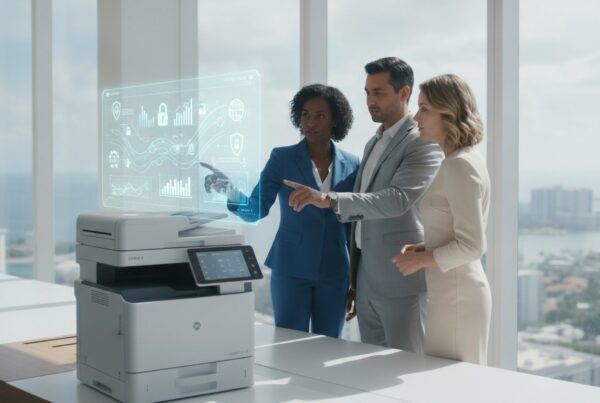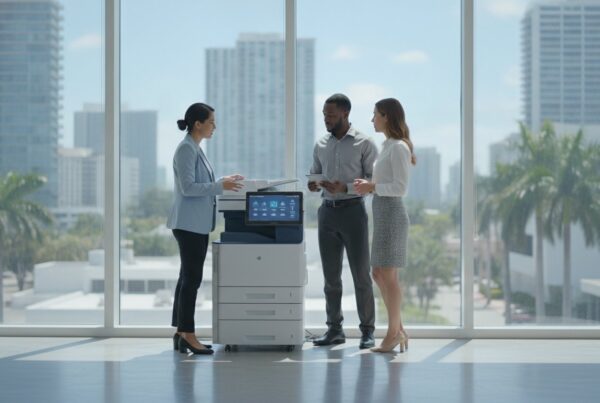

Did you know that 67% of companies suffered at least one print-related data breach last year? It’s a sobering statistic. It proves your choice of hardware is now a vital pillar of your security strategy. You likely want to eliminate the workflow bottlenecks and rising costs that come from mismatched equipment. It’s frustrating when your digital infrastructure feels like a hurdle rather than a catalyst for your team’s success.
This guide provides a clear decision framework for the Xerox VersaLink vs AltaLink for enterprise deployment in 2026. You’ll learn whether to prioritize the departmental agility of the VersaLink C415 or the high-volume, AI-assisted power of the new AltaLink C8200 series. We’ll preview how ConnectKey technology and Managed Print Services can harden your document security while creating a frictionless user experience. Let’s transform your print environment into an elegant, strategic asset together.
Key Takeaways
- Define your deployment strategy by choosing between decentralized, agile workgroups and centralized, high-capacity production hubs.
- Apply a clear decision framework for Xerox VersaLink vs AltaLink for enterprise needs based on your specific user density and monthly volume.
- Leverage the ConnectKey ecosystem to create a seamless user experience while securing your data with advanced encryption and secure print protocols.
- Reduce operational friction by matching your hardware’s duty cycle and finishing options to your team’s real-world peak production times.
- Learn how a local Managed Print Services partnership can shift your focus from reactive maintenance to strategic digital transformation.
Scaling the Modern Office: VersaLink and AltaLink Defined
The modern enterprise doesn’t just print documents; it moves data. Xerox recognized this shift by evolving the traditional multi-function printer into a sophisticated workplace assistant. This philosophy, powered by ConnectKey technology, transforms hardware into a portal for digital transformation. It’s about creating a seamless bridge between physical paper and your digital cloud environment.
When evaluating Xerox VersaLink vs AltaLink for enterprise environments in 2026, the distinction lies in your operational architecture. You aren’t just buying a copier. You’re designing a workflow. The VersaLink series provides the departmental agility needed for decentralized teams. The AltaLink series acts as the high-capacity anchor for centralized production. Achieving peak efficiency requires a strategic blend of both series to meet the demands of a hybrid workforce.
The 2026 landscape demands more than simple output. Machines are now intelligent document processing hubs. They automatically recognize document types, route files to Microsoft 365 or SharePoint, and flag security risks in real time. This evolution ensures that your hardware investment scales alongside your business strategy.
VersaLink: The Departmental Workhorse
VersaLink models like the C415 are the quintessential tools for teams of 5 to 15 users. They offer a compact footprint that fits perfectly into satellite offices or focused departments like HR and Finance. Don’t mistake their size for a lack of power. These units deliver professional-grade output quality with plug-and-play simplicity. They’re designed for the agile spokes of your organization where speed and ease of use are paramount. They handle everyday tasks without the footprint of a full-sized floor model.
AltaLink: The Enterprise Fleet Anchor
AltaLink serves as the enterprise fleet anchor. These machines are engineered for high-traffic environments and centralized print rooms. They thrive in multi-shift operations where reliability is a non-negotiable requirement. The 2026 AltaLink C8200 Series stands out as the industry’s first AI-assisted multifunction printer. It uses machine learning to optimize workflows and reduce manual entry errors. Unlike their smaller counterparts, AltaLink units accommodate advanced finishing options. From high-capacity feeders to professional booklet makers and hole punchers, they handle the heavy-duty production that keeps an enterprise moving at scale.
By deploying a mix of these two series, you ensure every department has the exact tool it needs. This balance reduces operational friction. It empowers your workforce to focus on high-value creative work rather than managing hardware limitations.
Hardware Performance: High-Volume Production vs. Departmental Agility
Your hardware choice dictates the rhythm of your office. A mismatch creates friction. When deciding on Xerox VersaLink vs AltaLink for enterprise use, look beyond the spec sheet. You need to understand how these machines handle the pressure of a high-stakes deadline. VersaLink models like the C405 offer a steady 36 pages per minute (ppm). They’re agile. They handle departmental bursts without hesitation. In contrast, the AltaLink C8145 steps up the pace to 45 ppm, while the C9000 series pushes into production territory at up to 70 ppm.
Scanning is equally critical in a digital-first environment. Both series utilize single-pass duplexing. This technology scans both sides of a page simultaneously. It effectively cuts digitization time in half. AltaLink units also feature Smart Proximity sensors. The machine wakes up as you approach. It saves precious seconds that add up in high-traffic hallways. Durability also differs between the lines. VersaLink is a robust departmental tool. AltaLink is a heavy-duty asset built for multi-shift environments. It’s designed to withstand massive duty cycles without mechanical degradation. If you’re unsure which model fits your specific floor plan, our team at UIQ can help you map your output needs.
Speed and Duty Cycle Benchmarks
Performance benchmarks reveal the true capability of your fleet. The VersaLink C415 is tailored for small to midsize offices that need reliability without a massive footprint. The AltaLink C8200 series stands as the industry’s first AI-assisted system for intensive professional use. Duty cycle overhead ensures your enterprise maintains maximum uptime by preventing mechanical strain during peak volume periods. By choosing a machine with a higher duty cycle than your average monthly volume, you reduce the risk of mid-run failures. This strategic buffer is what separates a smooth operation from one plagued by downtime.
Finishing and Media Handling
AltaLink excels in media versatility and professional presentation. It handles heavy cardstock and specialized templates with ease. You get exclusive finishing options like C/Z folding, hole punching, and professional booklet making. These features eliminate the need for manual post-print processing. High-capacity feeders further reduce human intervention. Your team spends less time refilling trays and more time on high-value tasks. As you scale your hardware, remember that every endpoint is a potential vulnerability. Adhering to Digital Copier Data Security protocols is essential for maintaining compliance in a connected enterprise.
Security and Software: The ConnectKey Ecosystem in Enterprise Environments
ConnectKey technology acts as the nervous system for your entire print fleet. It doesn’t matter if you’re comparing Xerox VersaLink vs AltaLink for enterprise needs; the user experience remains consistent across every device. This uniformity reduces the learning curve for your staff. They interact with a familiar, tablet-like interface whether they’re in a small satellite office or at corporate headquarters. In 2026, this operational consistency is vital for maintaining productivity across a distributed, hybrid workforce. It turns your hardware into a predictable, reliable tool rather than a source of technical frustration.
Security isn’t a luxury. It’s a core requirement for any modern digital infrastructure. Every device in these series includes standard features like 256-bit data encryption and image overwrite. Secure print protocols ensure that sensitive documents don’t sit in the output tray for unauthorized eyes to see. You can’t afford to overlook these endpoints. They are potential entry points for your network. That’s why we integrate these devices into our miami cybersecurity services. We treat every printer as a high-priority endpoint within a zero-trust architecture. This unified security posture makes the choice of Xerox VersaLink vs AltaLink for enterprise a strategic win for your IT department.
ConnectKey Apps and Workflow Automation
The true power of ConnectKey apps lies in their ability to bridge the gap between paper and the cloud. You can customize the interface to match specific roles within your organization. An HR manager might have a one-touch button to scan resumes directly to a secure SharePoint folder. A finance lead might route invoices to Google Workspace with automatic file naming. These automated workflows eliminate tedious manual data entry. They improve document accuracy and processing speed. You can even use Xerox Workflow Central to redact sensitive information or translate documents on the fly. This level of automation transforms how your team interacts with physical information.
Endpoint Security and MDR Integration
Modern threats require more than passive defense. We incorporate Managed Detection and Response (MDR) into our print strategies to provide real-time protection. This proactive approach monitors your print hardware for unusual activity or unauthorized access attempts. UIQ identifies vulnerabilities before they become expensive breaches. Automated firmware updates keep your fleet resilient against evolving exploits without requiring manual intervention from your IT staff. Your MFP is a critical node on your network. We ensure it’s defended with the same rigor as your servers and workstations. By treating your printer as a sophisticated endpoint, you close a common gap in enterprise security.

The Decision Matrix: Choosing the Right Fleet for Your South Florida Office
Selecting between Xerox VersaLink vs AltaLink for enterprise use in South Florida requires a precise balance of physical footprint and processing power. With Miami Class A office rents reaching $71.59 per square foot in 2026, every inch of your floor space must justify its cost. You don’t want a massive machine sitting idle, nor do you want a compact unit struggling to keep up with production. The goal is to match your equipment to the actual user density and output rhythm of your specific departments.
Scaling your business shouldn’t be a financial burden. Exploring a Xerox copier lease Miami allows you to access the latest 2026 technology while maintaining capital for other growth initiatives. We look at the total cost of ownership beyond the monthly payment. This includes energy consumption, which is up to 30% lower in current models compared to those from five years ago. High-efficiency hardware reduces your overhead and supports your sustainability goals simultaneously.
When to Deploy VersaLink
VersaLink is your go-to for agility and decentralized workflows. It’s the perfect fit for executive suites where confidentiality is paramount and user density is low. If you’re managing satellite offices in Broward with limited on-site IT staff, the plug-and-play simplicity of the C415dn is an elegant solution. These units thrive where mobility and Wi-Fi connectivity are top priorities. They provide professional-grade output without demanding a dedicated print room. They’re ideal for teams of 2 to 25 people who need a reliable workplace assistant that stays out of the way until it’s needed.
When to Standardize on AltaLink
AltaLink anchors your centralized hubs and high-traffic corridors. For large corporate headquarters in Miami-Dade, these machines handle the heavy lifting of multiple departments. Legal and medical firms benefit from the high-volume scanning and AI-assisted routing capabilities of the B8200 and C8200 series. These environments require advanced finishing like booklet making and C/Z folding for client-facing presentations. When your user density exceeds 25 people, the AltaLink’s high-capacity trays ensure the office rhythm remains uninterrupted. It’s built for multi-shift reliability and massive duty cycles.
Determining the right mix for your fleet is a collaborative process. We invite you to partner with UIQ for a tailored fleet assessment to optimize your South Florida infrastructure.
Strategic Managed Print: Why the Right Partner Matters More Than the Hardware
Hardware is the foundation of your office. Strategic partnership is the structure that makes it stand. You don’t just need a machine; you need a solution that evolves alongside your business objectives. Moving from reactive maintenance to proactive managed print services South Florida allows your IT team to focus on high-level growth. We bridge the gap between hardware sales and long-term IT strategy. Our role is to ensure your technology remains a catalyst for success rather than a source of frustration.
When deciding on Xerox VersaLink vs AltaLink for enterprise, the right partner ensures your fleet remains a strategic asset. Automated supply management means you never run out of toner during a critical project. We align your print fleet with your broader digital transformation goals. This ensures every endpoint contributes to your overall efficiency. We look at your entire digital ecosystem. This includes how your print fleet interacts with your Endpoint Monitoring and Management protocols. We provide the technical precision of a digital architect with the human-centric focus of a dedicated collaborator.
Local Support in Miami and Broward
Rapid on-site service is essential for enterprise uptime. We understand the South Florida business climate. We customize lease agreements to fit local market realities. A local Xerox agent provides a faster and more nuanced MDR response than a national box-mover because we are physically present in your community. We don’t just ship boxes; we build relationships. Our teams in Miami and Broward respond to technical challenges with immediacy. We don’t rely on distant call centers. We rely on local experts who know your neighborhood and your business requirements. This proximity is a strategic advantage for your document security and operational continuity.
Managed Print ROI for 2026
Consolidating your fleet reduces energy consumption and eliminates supply waste. Current 2026 models consume 30% less energy than older units. This translates to tangible overhead savings. Visibility and reporting tools help you understand exactly who prints what and why. UIQ optimizes your print environment through a thorough assessment. We identify redundancies. We streamline workflows. We ensure your technology reflects your ambition. By leveraging Xerox ConnectKey Apps, we help you transition from paper-heavy processes to streamlined digital workflows. This isn’t just about saving paper. It’s about saving time. The ROI of a managed environment is measured in the hours your employees reclaim for creative work. We invite you to join us in this shared journey toward a more efficient and secure enterprise.
Architecting a Resilient Digital Infrastructure
Your digital infrastructure is more than a collection of devices. It’s the heartbeat of your operational efficiency. Navigating the choice between Xerox VersaLink vs AltaLink for enterprise deployment requires a deep understanding of your team’s specific rhythms. You’ve seen how VersaLink empowers agile workgroups while AltaLink anchors high-volume production centers. Both series leverage ConnectKey to harden your security posture and automate tedious workflows. These tools don’t just print documents; they move your business forward.
Success depends on a partner who understands the unique South Florida landscape. We are an exclusive Xerox Authorized Agent with over 30 years of experience serving local businesses. Our team provides combined Managed Print and Cybersecurity expertise to ensure your fleet remains resilient and productive. We don’t just sell hardware. We design seamless experiences that prioritize the end-user. Let’s build a frictionless workplace together.
Request a Strategic Print Assessment for Your South Florida Enterprise today. We’re ready to help you design a fleet that reflects your ambition and secures your future.
Frequently Asked Questions
Is Xerox VersaLink better than AltaLink for a small enterprise?
Yes, if your focus is on departmental agility and a smaller physical footprint. VersaLink models like the C405 are designed for teams of 2 to 25 people. They provide professional-grade output without the space requirements of a full-sized floor unit. It’s often the superior choice for small enterprises that prioritize cost-efficiency and decentralized workflows over high-volume production.
Can the VersaLink series handle high-volume enterprise scanning?
VersaLink handles moderate to high scanning needs with single-pass duplexing. This technology scans both sides of a page at once. It’s efficient for most departmental tasks. However, if your enterprise requires massive document digitization for legal or medical records, the AltaLink series offers higher-capacity automatic document feeders. This reduces manual intervention during large-scale scanning projects.
What are the main security differences between VersaLink and AltaLink?
Both series utilize the ConnectKey ecosystem for robust protection. You get 256-bit encryption and secure print as standard features. The Xerox VersaLink vs AltaLink for enterprise comparison reveals that AltaLink offers additional layers of advanced security. These include more sophisticated integrations for network monitoring and stricter access controls for high-traffic environments. Both help you maintain compliance with the Florida Information Protection Act.
How many users can a single Xerox AltaLink C8100 series support?
A single AltaLink C8100 series unit typically supports mid-size offices of 25 to 100 employees. It’s built for high-traffic environments where multiple users need simultaneous access to various finishing options. Its high paper capacity and robust duty cycle ensure the machine remains operational during peak times. This makes it an ideal central hub for large corporate headquarters.
Do both VersaLink and AltaLink support Xerox ConnectKey apps?
Yes, both series are powered by the ConnectKey Technology ecosystem. This platform allows you to download apps that automate document routing and cloud integration. You can connect your Xerox VersaLink vs AltaLink for enterprise fleet directly to Microsoft 365, SharePoint, and Google Workspace. This creates a consistent user experience regardless of which specific hardware model your team uses.
What is the typical lease term for a Xerox AltaLink in Miami?
Enterprise lease terms in the Miami market generally range from 36 to 60 months. This duration allows businesses to align their hardware lifecycle with their strategic IT planning. You should check current South Florida market rates and availability for specific 2026 models. A structured lease ensures your enterprise stays current with the latest AI-assisted printing technology while preserving capital.
Can I mix VersaLink and AltaLink models in the same Managed Print contract?
You can certainly combine both series within a single Managed Print Services agreement. This hub-and-spoke deployment strategy is often the most efficient approach for large organizations. You might place an AltaLink in your central mailroom and VersaLink units in specific departments like HR or Finance. This ensures every team has the right tool for their specific volume and space constraints.
Which series is better for a hybrid office with remote workers?
VersaLink is often the preferred choice for hybrid environments due to its compact size and Wi-Fi agility. It’s easy to deploy in satellite offices or smaller work-hubs where space is at a premium. Both lines offer mobile-ready features and direct cloud connectivity. This ensures your remote staff can securely print and scan documents from anywhere using the Xerox workplace assistant interface.