
Your office printer is quietly bleeding your budget dry. Untracked print jobs, unsecured document workflows, and hardware that sits disconnected from your cloud environment aren’t minor inconveniences; they’re measurable operational liabilities. If you’re running a business in South Florida right now, that cost is compounding daily.
You already know something needs to change. The question most business owners in Miami-Dade and Broward are asking isn’t whether to upgrade, it’s which Xerox multifunction printers for business actually fit their specific volume, security requirements, and workflow demands heading into 2026.
That’s exactly what this guide answers. In 2026, a Xerox MFP is no longer just a printer; it’s a secure, software-driven gateway for digital transformation. We’ll walk you through the VersaLink, AltaLink, and PrimeLink series, break down how ConnectKey Apps and Managed Print Services integrate into modern office ecosystems, and show you why having a local South Florida partner with over 30 years of specialized experience changes the entire equation. By the end, you’ll know precisely which solution fits your business and what to do next.
Key Takeaways
- The right Xerox multifunction printers for business do far more than print — in 2026, they function as intelligent workflow hubs that automate document processes and integrate directly with your cloud environment.
- Choosing between the VersaLink, AltaLink, and PrimeLink series comes down to your monthly print volume and team size — this guide gives you a clear framework to match hardware to your actual operational demands.
- Unmanaged printers are a documented cybersecurity vulnerability; you’ll learn how Xerox’s multi-layered security architecture addresses prevention, detection, and real-time protection at the device level.
- ConnectKey technology transforms your MFP into a customizable, app-driven platform — giving your South Florida team capabilities that most businesses don’t realize are already built into their hardware.
- Working with a local, exclusive Xerox agent with over 30 years of South Florida experience changes your uptime, response time, and long-term print strategy in ways a national vendor simply cannot replicate.
Defining the Xerox Multifunction Printer for 2026 Business Needs
The device sitting in your office today looks nothing like the copier your business ran a decade ago. Physically, perhaps. But functionally? It’s an entirely different machine. The modern MFP has evolved from a peripheral piece of hardware into a central node in your business infrastructure, capable of processing, routing, securing, and transforming documents at the edge of your network before they ever touch the cloud.
That shift matters enormously for South Florida businesses operating hybrid teams across Miami-Dade and Broward. When your workforce splits time between home offices, co-working spaces, and a central location, your print environment can’t afford to be a passive endpoint. It needs to be an active participant in your workflow.
What Makes an MFP ‘Multifunction’ in the Digital Age?
The term “multifunction” used to mean print, copy, scan, and fax. That definition is now the floor, not the ceiling. In 2026, a business-grade MFP integrates directly with platforms like Microsoft 365, Google Workspace, and cloud storage environments. High-speed scanning doesn’t just digitize a document; it routes it, tags it, and triggers downstream processes automatically. Integrated software layers built into the device replace tasks that once required separate desktop applications, reducing friction and the margin for human error.
Energy efficiency has also become a non-negotiable, particularly for South Florida firms navigating both rising utility costs and growing ESG accountability. Xerox multifunction printers for business are engineered to meet current Energy Star standards, with smart sleep modes and usage-based power management that reduce consumption without compromising output speed.
The Business Case for Enterprise-Grade Hardware
Total Cost of Ownership tells a different story than the sticker price. Consumer-grade inkjet hardware may appear economical upfront, but duty cycle limitations, high per-page ink costs, and frequent maintenance needs erode that advantage quickly in a busy office environment. Enterprise-grade devices are built to sustain high monthly volumes reliably, with component-level durability that consumer hardware simply isn’t designed to match.
The smarter approach pairs the right hardware with a structured cost management strategy. Managed print services in South Florida give businesses a framework to track actual usage, eliminate waste, and predict costs with accuracy, turning print from an uncontrolled expense into a managed line item.
Xerox multifunction printers for business sit at the center of that framework. They’re not just durable; they’re designed to generate the usage data that makes intelligent management possible. That’s the distinction between hardware you own and infrastructure that works for you.
Comparing the Xerox Series: VersaLink vs. AltaLink vs. PrimeLink
Not every office has the same print demands. A boutique law firm in Coral Gables and a regional healthcare network in Doral are both running Xerox multifunction printers for business, but they need entirely different hardware. The framework is straightforward: match monthly print volume, team size, and workflow complexity to the right series before you ever discuss specs.
Here’s how that decision breaks down across the three core series.
Xerox VersaLink: Productivity for Distributed Teams
The VersaLink series is built for South Florida businesses operating with lean, distributed teams. Think Broward satellite offices, boutique Miami professional firms, and growing startups that need enterprise-grade capability without enterprise-grade footprint. The hardware is compact, but don’t let that mislead you. VersaLink devices carry the same security architecture found in larger Xerox systems, including device-level encryption and network protection features that matter in regulated industries.
What makes day-to-day adoption smooth is the interface. The tablet-like touchscreen eliminates the learning curve that typically slows rollout in busy offices. Staff get productive immediately, which means your IT team spends less time on training and more time on higher-value work.
Xerox AltaLink: The Enterprise Workhorse
Volume changes everything. For Miami-Dade enterprises running document-heavy operations in legal, finance, or healthcare, the AltaLink series is the right foundation. High-capacity paper handling, advanced finishing options including stapling, hole-punching, and booklet making, and proactive maintenance sensors that flag potential issues before they cause downtime. That last feature deserves attention: predictive diagnostics mean your team isn’t discovering a failure mid-deadline. The machine surfaces the problem first.
AltaLink devices are also designed to scale. As your team grows or your document workflows become more complex, the hardware doesn’t become the bottleneck.
Xerox PrimeLink: For High-End Marketing and Design
Creative agencies and marketing teams have a different set of demands entirely. Color accuracy isn’t a preference; it’s a client deliverable. The PrimeLink series addresses this with professional-grade image quality and versatile media handling that supports heavy cardstocks and specialty materials. For South Florida agencies producing brand collateral, event materials, or promotional runs in-house, PrimeLink eliminates the cost and turnaround time of outsourcing production work.
It’s also engineered for reliability in high-demand environments, making it a practical choice for teams where output consistency directly affects client relationships.
- VersaLink: Small to mid-sized teams, distributed offices, moderate monthly volume
- AltaLink: Large enterprises, document-intensive industries, high monthly volume with finishing needs
- PrimeLink: Creative and marketing environments requiring production-quality color output
If you’re unsure which series fits your current volume and where your business is heading over the next two years, connect with our team to map the right hardware to your workflow before committing to a configuration that may not scale with you.
Xerox ConnectKey Technology: The Software Engine of Modern MFPs
Think of ConnectKey less as a feature and more as an operating system. It’s the intelligence layer built into Xerox multifunction printers for business that transforms the physical device into a programmable workflow engine. Where most office hardware stops at executing a task, ConnectKey-enabled devices can be configured to think about the task first: where the document should go, who should receive it, what compliance rules apply, and how to trigger the next step in your process automatically.
The Xerox App Gallery is the practical entry point for that capability. Like an app store for your MFP, it lets your team install purpose-built applications directly onto the device interface. One-touch shortcuts replace multi-step manual processes. A staff member scanning a contract doesn’t navigate through menus; they tap a single button, and the document is converted, named, and routed to the right SharePoint folder without additional handling. That’s not a minor convenience. Across a team of ten, those seconds compound into real hours recovered each week.
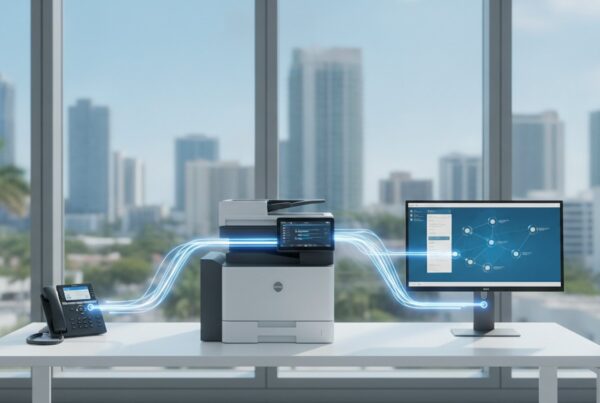
Cloud connectivity is native, not bolted on. ConnectKey integrates directly with Dropbox, Google Drive, Microsoft SharePoint, and OneDrive, meaning your scan-to-cloud workflow requires no middleware, no separate software license, and no IT workaround.
Workflow Automation for Miami’s Core Industries
The real value of ConnectKey becomes visible when you apply it to the specific pressures South Florida industries face daily.
- Legal: Automated redaction workflows remove sensitive identifiers before documents leave the device. Secure routing sends executed agreements directly to matter-specific folders, reducing the risk of misfiling in high-volume litigation environments.
- Healthcare: HIPAA-compliant scanning configurations restrict destination options at the device level, ensuring patient records route only to approved, encrypted cloud storage. Audit trails are generated automatically, which simplifies compliance documentation.
- Real Estate: Agents working across Miami-Dade listings need documents instantly. Mobile print integrations let agents pull disclosure packets or offer forms from any location, formatted and ready, without returning to the office.
Mobile and Remote Printing Capabilities
Printing from a phone, tablet, or remote laptop no longer requires driver installations or IT involvement. ConnectKey supports direct mobile printing across platforms, which matters for distributed teams that can’t afford friction in the field.
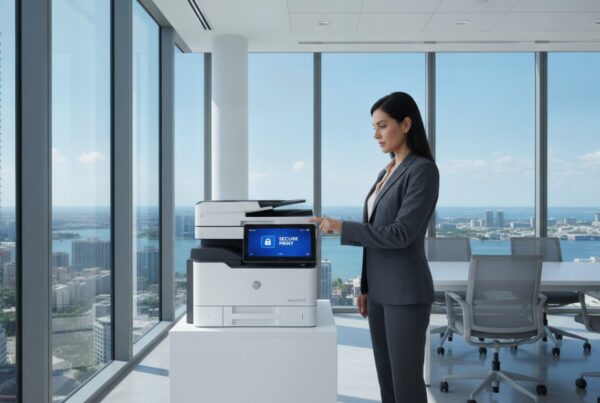
Secure “Follow You” printing addresses a real vulnerability in open office environments. Jobs sit in a queue and only release when the authorized user authenticates at the machine, physically. That single feature eliminates uncollected documents sitting in output trays, a surprisingly common source of data exposure.
For businesses that want access to this technology without a large capital commitment upfront, a Xerox copier lease in Miami gives your team the full ConnectKey ecosystem on a structured, predictable payment model. The software capability doesn’t diminish with a lease. You get everything, with the flexibility to scale as your business grows.

Securing the Endpoint: Print Infrastructure as a Cybersecurity Priority
Your firewall is configured. Your email filters are running. Your endpoints are monitored. And yet, the multifunction printer sitting in your conference room may be the least-secured device on your entire network. It has an IP address, a hard drive, network credentials, and in many South Florida offices, it’s never been patched, audited, or included in a formal security policy.
That’s not a theoretical risk. Printers are network-connected devices that store, process, and transmit sensitive data continuously. When they’re unmanaged, they become a documented entry point for lateral movement across your infrastructure. Attackers don’t need to breach your server directly when an unpatched MFP on the same network will do the job quietly.
Xerox multifunction printers for business address this with a security architecture that operates on three distinct layers: prevention, detection, and active protection. Prevention means the device validates its own firmware integrity at startup using whitelisting technology, blocking unauthorized code from executing before it ever runs. Detection means the system monitors runtime behavior continuously, flagging anomalies that fall outside expected operational parameters. Protection means the device can respond autonomously, isolating itself or alerting your IT environment when a threat is confirmed.
That’s a fundamentally different posture than “encryption and password protection,” which is where most hardware vendors stop.
Protecting Sensitive Data in Transit and at Rest
Every document processed by a Xerox MFP is handled with layered data protection built into the hardware itself. Hard drive encryption secures stored data at rest, and automatic disk overwriting ensures residual document data is purged after each job completes. Nothing lingers. Secure print release holds jobs in an encrypted queue until the authorized user authenticates physically at the device, which eliminates the exposure risk of documents sitting uncollected in an open output tray. Automated threat monitoring runs at the device level, not just at the network perimeter, which means your security posture doesn’t depend entirely on external tools catching what the printer itself should flag first.
Compliance and Regulatory Standards in Florida
Florida businesses operating in financial services and healthcare face specific regulatory obligations that extend directly to how documents are handled at the device level. GLBA requires financial institutions to protect customer data across every system that touches it. HIPAA mandates documented controls for any device that processes protected health information. Your MFP qualifies on both counts.
Xerox devices generate granular audit logs that record who printed, scanned, or copied what, and when. That trail isn’t just useful for internal governance; it’s the documentation a compliance audit will ask for first. Connecting your print environment to a broader security strategy, including Miami cybersecurity services that cover your full network, ensures your MFP doesn’t exist as an isolated compliance island. And for teams that need comprehensive network protection alongside their print infrastructure, business IT support in Miami provides the broader coverage that device-level security alone can’t replace.
Print security isn’t a hardware problem you solve once. It’s an ongoing discipline. Connect with our team to assess your current print environment’s security posture and identify the gaps before they become incidents.
The UIQ Advantage: Local Expertise Meets Managed Print Services
There’s a meaningful difference between buying Xerox multifunction printers for business from a national catalog and partnering with an exclusive local Xerox agent who’s been operating in South Florida since 1993. One transaction ends when the hardware ships. The other begins a working relationship that directly affects your uptime, your security posture, and how intelligently your print environment evolves over time.
UIQ isn’t a generalist reseller with Xerox in the product catalog. Exclusive agent status means a singular focus: deep technical fluency across the VersaLink, AltaLink, and PrimeLink ecosystems, combined with a consultative approach that starts with your IT strategy before any hardware recommendation is made. The right device for your business isn’t determined by what’s in stock. It’s determined by your workflows, your compliance obligations, and where your team is heading over the next two years.
Maximizing ROI with Managed Print Services
Unmanaged print fleets carry hidden costs that don’t show up on a single invoice. Redundant devices, inconsistent supply ordering, and reactive maintenance all quietly inflate what your business spends each month. UIQ’s Managed Print Services address this systematically.
- Fleet consolidation: Auditing your current hardware and identifying where overlapping devices can be replaced with a single, higher-capacity MFP reduces both energy consumption and supply complexity.
- Proactive supply replenishment: Toner and consumables are monitored remotely and replenished before your team notices a shortage. No emergency orders. No downtime waiting on shipping.
- Predictable monthly budgeting: All-inclusive service agreements replace unpredictable repair invoices with a fixed cost structure your finance team can plan around.
- Ongoing optimization: Usage data generated by your Xerox devices doesn’t just sit in a dashboard. UIQ reviews it regularly to identify waste, adjust configurations, and refine your print environment as your business changes.
That last point separates MPS from a simple maintenance contract. It’s not a set-and-forget arrangement. It’s a continuous improvement loop built into your service agreement.
South Florida’s Trusted Xerox Partner Since 1993
South Florida’s business environment has its own operational texture. The climate, the infrastructure, the mix of industries across Miami-Dade and Broward, all of it shapes how print environments are configured, maintained, and supported. UIQ’s local technicians understand that context in ways a national vendor dispatching a contractor from three counties away simply doesn’t.
Fast response times for Miami and Broward businesses aren’t a marketing claim; they’re a function of proximity and dedicated regional focus. When something needs attention, your team isn’t navigating a national support queue. You’re reaching people who know your account, know your hardware, and know the market you operate in.
The strategic starting point is always the same: understand your business first, then build the right solution around it. Partner with UIQ for a smarter, more secure office today and discover what three decades of South Florida expertise actually looks like in practice.
Your Next Step Toward a Smarter Print Environment
The gap between a print environment that costs you and one that works for you comes down to three decisions: the right hardware series for your volume, the right software layer to automate your workflows, and the right local partner to keep it all running securely over time.
Xerox multifunction printers for business give South Florida teams the infrastructure to do all three. But hardware alone doesn’t transform an office. Strategy does. That’s where 30 years of exclusive Xerox expertise, a deep understanding of Miami-Dade and Broward’s business landscape, and an integrated approach to cybersecurity and IT planning make a measurable difference.
You don’t have to figure out the right configuration on your own. UIQ’s team is ready to assess your current environment, identify what’s costing you, and build a solution that scales with your business.
Connect with UIQ today and start building a print strategy that works as hard as your team does.
Frequently Asked Questions
What is the difference between Xerox VersaLink and AltaLink printers?
The core difference is scale. VersaLink is designed for smaller, distributed teams that need enterprise-grade capability in a compact footprint, making it ideal for boutique firms and satellite offices running moderate monthly volumes. AltaLink is built for high-volume enterprise environments that require advanced finishing options, larger paper capacity, and predictive maintenance sensors that surface potential issues before they interrupt operations.
Choosing between them isn’t about preference; it’s about matching hardware to your actual monthly output and workflow complexity. A team printing a few hundred pages a week has different infrastructure needs than a legal department processing thousands of documents daily.
How do Xerox multifunction printers improve office security for Miami businesses?
Xerox multifunction printers for business operate with a three-layer security architecture covering prevention, detection, and active protection. At startup, firmware whitelisting blocks unauthorized code from executing. During operation, continuous runtime monitoring flags behavioral anomalies. If a threat is confirmed, the device can isolate itself or alert your IT environment autonomously, which is a fundamentally more robust posture than basic encryption alone.
For Miami businesses in regulated industries, granular audit logs record every print, scan, and copy event. That documentation trail is precisely what HIPAA and GLBA compliance audits request first, making device-level security a direct compliance asset, not just an IT concern.
Are Xerox multifunction printers compatible with Mac and mobile devices?
Yes. Xerox MFPs support cross-platform printing across Windows, macOS, iOS, and Android without requiring complex driver installations or IT intervention. ConnectKey technology enables direct mobile printing, so team members working from phones or tablets can send and retrieve jobs seamlessly from any location.
Secure “Follow You” printing adds a practical layer here. Jobs queue in an encrypted hold and only release when the authorized user authenticates physically at the device, which means mobile-initiated print jobs don’t sit exposed in an output tray waiting to be collected.
What are the benefits of leasing a Xerox MFP versus buying it outright?
Leasing converts a large capital expenditure into a predictable monthly cost, which simplifies budgeting and preserves cash flow for other operational priorities. It also keeps your hardware current; as your business grows or your workflow demands shift, a lease structure gives you the flexibility to scale your equipment without being locked into aging hardware.
Critically, leasing doesn’t reduce your access to technology. A leased Xerox MFP carries the full ConnectKey ecosystem, complete security architecture, and cloud integration capabilities as a purchased unit. You’re not trading features for flexibility.
Can Xerox ConnectKey apps automate my specific business workflows?
ConnectKey’s App Gallery is built specifically for that purpose. Purpose-built applications install directly onto the device interface, allowing you to create one-touch shortcuts that replace multi-step manual processes. A healthcare team can configure HIPAA-compliant scan routing that restricts destinations to approved encrypted storage. A real estate office can set up mobile print workflows that deliver formatted disclosure packets on demand without anyone returning to a central office.
The automation isn’t generic. It’s configurable to the specific document types, routing rules, and compliance requirements your team works with daily, which is where ConnectKey’s value moves from convenient to genuinely transformative.
What is included in a UIQ Managed Print Services agreement?
UIQ’s MPS agreements cover fleet consolidation, proactive supply replenishment, and predictable all-inclusive service pricing. Toner and consumables are monitored remotely and replenished before shortages occur, eliminating emergency orders and unplanned downtime. Maintenance is proactive rather than reactive, meaning your team isn’t discovering hardware failures mid-deadline.
Beyond maintenance, UIQ reviews usage data generated by your devices on an ongoing basis to identify waste, adjust configurations, and refine your print environment as your business evolves. That continuous optimization loop is what separates a managed print agreement from a standard maintenance contract.
How does the Xerox PrimeLink series differ from standard office copiers?
PrimeLink is engineered for production-quality output, not general office use. Color accuracy is calibrated to professional standards, and the hardware supports versatile media including heavy cardstocks and specialty materials that standard office copiers can’t reliably handle. For South Florida creative agencies and marketing teams, that means producing brand collateral and promotional materials in-house without sacrificing quality or outsourcing production runs.
Reliability at high output volumes is also a design priority. PrimeLink devices are built to sustain demanding print schedules consistently, which matters when output quality directly affects client relationships and project deadlines.
Does UIQ provide local technical support in Broward County?
UIQ operates as an exclusive Xerox agent with a dedicated South Florida focus covering both Miami-Dade and Broward County. Local technicians service accounts throughout the region, which means response times aren’t subject to the delays of a national vendor dispatching contractors from outside the area.
That local presence also means your account isn’t managed anonymously through a national support queue. UIQ’s team knows your hardware, your business context, and the specific operational environment South Florida companies work in, which translates directly into faster resolution and more relevant technical guidance.