
What if your “paid-off” office copier is actually the most expensive piece of equipment in your building? It’s a common trap to assume that keeping old hardware saves money, but the reality of 2026 suggests otherwise. You likely already feel the daily frustration of constant paper jams and the rising price of legacy toner. These aren’t just minor annoyances. They are clear signs you need a new office copier before your operational costs and security risks spiral out of control.
We agree that every investment should be maximized. However, clinging to outdated technology often means sacrificing network integrity and team productivity. This guide identifies the hidden hardware and security red flags that prove your current machine is costing you more than a modern Xerox lease. You’ll learn how right-sizing your fleet can save between 15% and 22% on total print spending while providing the seamless cloud integration your workflow demands. We’ve outlined five critical indicators that it’s time to transition from a maintenance headache to a strategic asset.
Key Takeaways
- Learn why machines older than five years create a “Parts Scarcity” trap that makes maintenance more expensive than an upgrade.
- Identify hardware performance red flags, such as end-of-life sensors and degraded print quality, which are clear signs you need a new office copier.
- Secure your network by replacing legacy devices that lack modern encryption and serve as vulnerable endpoints for hackers.
- Discover how Xerox ConnectKey Apps and direct Scan-to-Cloud integrations transform your device into a digital workflow hub.
- Explore the strategic cash flow and tax advantages of choosing a Xerox copier lease in Miami to modernize your office.
The Financial Tipping Point: Rising Maintenance and “Legacy” Costs
Your office copier is a silent partner in your daily operations. When it works, it’s invisible. When it fails, it becomes a glaring financial liability. Most businesses find that maintenance costs for machines older than five years begin to escalate sharply. Service providers often increase contract rates as hardware ages because the risk of failure rises. This is one of the primary signs you need a new office copier. If you’re paying a premium just to keep an aging machine on life support, you’re likely overspending.
The “Parts Scarcity” trap is another significant hurdle. As manufacturers shift focus to newer models, specialized components for legacy devices become rare. Finding a specific roller or sensor for a discontinued unit can take weeks. These parts often come with a prohibitively expensive price tag. Modern multifunction devices are designed with modular components that are readily available and easier to service. Clinging to old hardware doesn’t just cost money; it costs time.
Energy consumption is a frequently overlooked expense. Older hardware consumes significantly more electricity than modern, Energy Star rated Xerox models. These legacy units lack the sophisticated power-saving modes found in the Xerox VersaLink or AltaLink series. Over a year, the utility gap between an old “energy hog” and a contemporary device is substantial. We recommend a simple rule of thumb. If a single repair bill exceeds 50% of what a new monthly lease payment would be, the financial tipping point has passed.
The “Invisible” Expense of Employee Downtime
Productivity loss is the hardest cost to track but the easiest to feel. When a machine goes down, your team stops. In high-volume environments like Miami law firms or medical offices, slow processing speeds create massive bottlenecks. Waiting for a technician to arrive isn’t just a delay; it’s a total halt in document-heavy workflows. This unreliability has a psychological impact. It erodes workplace morale and creates unnecessary friction in an otherwise elegant office design.
Toner and Consumable Inefficiency
Legacy toner yields simply can’t compete with modern engineering. Xerox VersaLink cartridges are designed for high-capacity output, meaning you replace them less often. Finding supplies for discontinued models also creates administrative friction that wastes your office manager’s time. Transitioning to managed print services South Florida automates your supply replenishment. This ensures you never run out of toner and eliminates the manual burden of tracking consumables for outdated equipment.
Performance Red Flags: When Hardware Can No Longer Keep Up
Hardware doesn’t usually fail in a single, dramatic moment. It erodes. This gradual decline shows up as daily micro-frustrations that eventually stall your entire operation. Frequent paper jams are the most visible signs you need a new office copier. These aren’t just bad luck; they indicate that internal rollers have lost their grip and sensors have reached their end-of-life cycle. When your team spends more time clearing the paper path than actually working, the machine’s mechanical integrity is gone.
Degraded print quality is another definitive warning. Faded text, persistent streaks, or mysterious spots often signal that cleaning cycles can no longer compensate for worn-out components. Beyond the physical output, consider the “silent” performance gap: software incompatibility. A copier that refuses to talk to Windows 11 or the latest macOS is a bottleneck. Modern offices move fast. They cannot wait 30 seconds for a legacy machine to “warm up” while competitors are already finishing their first-page-out.
Digital hardware is more than just a printer; it’s a data repository. You must secure your office copier properly because every document processed leaves a footprint on the internal drive. If your current device lacks the processing power to encrypt this data in real-time, it’s a liability. You can optimize your digital infrastructure by replacing these sluggish endpoints with smarter, faster technology.
The Multi-Tasking Strain
Large, graphics-heavy PDFs are the modern standard. Legacy processors often freeze or crash when handling these complex files. Modern Xerox AltaLink series hardware solves this with dedicated RAM and SSD storage, ensuring the print queue never stalls. Outdated firmware on older units also prevents the use of modern print-from-mobile features. This disconnect forces employees back to their desks, breaking the flow of a contemporary, flexible workspace.
Physical Wear and Environmental Factors
South Florida humidity presents unique challenges for office equipment. Moisture often seeps into older, unsealed units, causing paper to curl and internal parts to corrode. You might notice a “ghosting” effect on pages, which usually points to a failing fuser unit. Mechanical finishing options like stapling and folding are often the first to go. If these features fail consistently, the internal gears are likely stripped beyond reasonable repair.
The Security Gap: Is Your Copier a Network Gateway for Hackers?
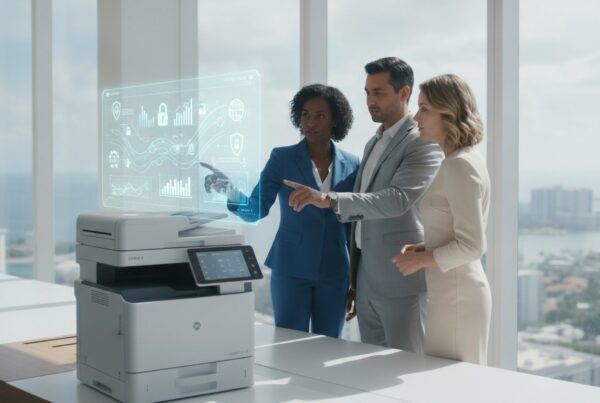
Think of your office copier as more than a document producer. It’s a high-powered computer sitting on your network. Hackers don’t just want your printouts; they want a foothold. This concept, known as “Endpoint Vulnerability,” allows bad actors to use an unsecured printer to pivot into your broader corporate network. If your machine is over five years old, it likely lacks the defensive architecture to stop these modern intrusions. This vulnerability is one of the most dangerous signs you need a new office copier in 2026.
Legacy devices often store images of every document scanned or printed on unencrypted internal hard drives. If a breach occurs, that data is essentially public. Manufacturers eventually stop releasing firmware updates for older models, leaving them defenseless against new exploits. This creates rising maintenance and legacy costs that extend far beyond simple repair bills. You aren’t just paying for parts; you’re paying for the risk of a total system compromise. These security gaps are definitive signs you need a new office copier to maintain organizational trust.
Unauthorized access remains a persistent threat for older hardware. Without modern badge-in or RFID authentication, anyone in the building can walk up and access sensitive files in the print queue. Modern Xerox AltaLink machines solve this by requiring a physical or digital handshake before releasing a job. It’s a simple, elegant solution to a massive security hole that legacy machines simply can’t patch. We believe security should be a seamless part of your workflow, not a hurdle.
Compliance Risks for South Florida Businesses
In Miami’s dense legal and healthcare corridors, data privacy isn’t just a best practice. It’s the law. An outdated copier could lead to severe HIPAA or GDPR violations if sensitive patient or client data is exposed. Utilizing miami cybersecurity services ensures your print endpoints are monitored, but hardware must be capable of supporting “Secure Print” protocols. In 2026, leaving documents sitting in an open tray is a liability you can’t afford.
Xerox ConnectKey Security Standards
We believe technology should protect itself. Xerox ConnectKey technology bridges the gap between hardware and security via a strategic partnership with McAfee and Cisco. This integration provides automated security policy alerts and real-time monitoring of the device’s firmware. When combined with managed it services florida, your copier becomes a fortified gatekeeper rather than a weak link. It’s about creating a frictionless experience where security happens in the background, allowing your team to focus on their creative output.

The Digital Transformation Gap: Missing Cloud and App Integration
Modern business moves via the cloud. If your current machine limits you to “Scan-to-Email,” you’re operating in the past. Large files bounce. Inbox limits clog workflows. Direct Scan-to-Cloud functionality for Google Drive, Dropbox, and Salesforce is now a standard requirement. These limitations are subtle but certain signs you need a new office copier. You need a device that acts as a bridge to your digital environment rather than a roadblock. A machine that cannot participate in your cloud ecosystem is a legacy anchor in a high-speed world.
Legacy machines lack the intelligence to run specialized software. Xerox ConnectKey Apps allow your hardware to perform complex tasks like document translation or instant redaction right at the device. Without this app support, your team performs these tasks manually on their computers. This creates unnecessary manual bottlenecks that drain productivity. If your copier is merely a printer and not a digital architect, it’s holding your team back. Identifying these signs you need a new office copier early allows you to reclaim hours of lost labor every week.
Mobile workforce friction is another growing pain. Remote Miami employees often need to print or scan documents securely from their smartphones while visiting the physical office. Older units typically require complex driver installations or local network tethering that frustrates users. Modern Xerox solutions prioritize the end-user experience with frictionless mobile printing. We believe technology should adapt to the person, not the other way around. You can modernize your digital workflow by choosing hardware that supports the way your team actually works.
Xerox ConnectKey: More Than Just Printing
Technology should be intuitive. Modern Xerox devices feature tablet-like interfaces that reduce the learning curve for new hires. These interfaces host apps that turn a standard copier into a sophisticated workflow assistant. For a hybrid South Florida workforce, this connectivity is vital. Remote employees can securely print from their smartphones while sitting in a Miami cafe; this ensures the physical office stays synced with the digital one. It’s an elegant solution for a modern, mobile age.
Future-Proofing Your Office
The year 2026 demands adaptability. AI-driven document management is no longer a futuristic concept; it’s a current reality. Your hardware must be capable of integrating with these evolving systems to remain relevant. This is where IT strategy and planning becomes essential. We help you manage your equipment lifecycle to ensure your tech stays ahead of the curve. Digital transformation eventually reduces your dependency on paper by converting physical documents into searchable, actionable data. It’s about moving from a service provider to a visionary partner.
Strategic Upgrading: Why a Xerox Copier Lease in Miami Makes Sense
Modern business strategy favors agility over ownership. Purchasing a high cost, depreciating asset like a copier often locks your office into the technology of the past. Choosing a Xerox copier lease in Miami provides immediate cash flow advantages by transforming a large capital expenditure into a predictable monthly operating expense. This shift often provides tax benefits, as lease payments are typically fully deductible as a business expense. When you recognize the signs you need a new office copier, leasing offers the most efficient path to a total hardware refresh.
We include a “Technology Refresh” clause in our leasing agreements. This proactive feature ensures you never own obsolete equipment again. At the end of your lease term, you simply transition to the newest Xerox models without the burden of disposing of old units. This eliminates the risks of parts scarcity and software incompatibility we discussed earlier. Bundled service and supply contracts further simplify your operations. One monthly payment covers your hardware, maintenance, and automated toner replenishment, creating a level of budgeting certainty that ownership cannot match.
The UIQ Difference in South Florida
We bring over 30 years of local expertise to businesses across Miami-Dade and Broward counties. As an exclusive Xerox agent, UIQ provides specialized technical knowledge and faster access to parts than generalist office equipment vendors. This local focus is vital for maintaining hardware in our unique South Florida climate. We don’t just deliver boxes; we integrate your print environment with managed IT support in Miami. This ensures your new fleet is a secured, high performing component of your broader digital infrastructure.
Taking the Next Step
The transition to a modern workflow begins with a comprehensive print environment assessment. We analyze your current usage to identify hidden waste and security gaps. Our team manages the entire migration from your legacy hardware to a new, optimized Xerox fleet. This process is designed to be frictionless, ensuring your team stays productive throughout the upgrade. We invite you to partner with a collective of experts passionate about the intersection of form and function. Request your custom Xerox lease quote from UIQ today and secure your office for the future.
Elevate Your Workplace Strategy
An outdated copier is no longer just a maintenance burden. It is a strategic liability that compromises your cybersecurity and stalls your digital transformation. Recognizing the signs you need a new office copier is the first step toward reclaiming your team’s productivity and protecting your network integrity. We believe that technology should empower your people, not restrict them with legacy bottlenecks and unencrypted data risks. Clinging to old hardware costs more than just repair fees; it costs your business its competitive edge in a fast-moving market.
As an Exclusive Xerox Authorized Agent serving Miami-Dade and Broward since 1993, we provide more than just equipment. We deliver comprehensive Managed Print and IT Solutions designed for the modern era. Our team understands the unique challenges of the South Florida business landscape. We are ready to help you transition to a sophisticated, cloud-connected ecosystem that grows with your organization. It’s time to replace daily frustration with a seamless, high-performing workflow that inspires confidence across your entire office.
Upgrade your South Florida office with a modern Xerox lease from UIQ. We look forward to building a more efficient, secure, and inspired workplace together.
Frequently Asked Questions
How many years should a business copier last before needing replacement?
A standard business copier typically lasts between five and seven years before the cost of ownership exceeds the value of the device. Performance issues and mechanical wear usually become critical after the five-year mark. This is one of the most reliable signs you need a new office copier. Staying within this window ensures your office maintains peak efficiency while avoiding the “parts scarcity” trap mentioned earlier. It keeps your workflow fluid and predictable.
Is it better to repair an old copier or lease a new one in 2026?
Leasing is often the superior choice in 2026 because it includes a technology refresh clause and predictable monthly costs. Repairing an old machine creates a cycle of reactive spending on specialized legacy components. Modern leases allow you to trade an aging liability for a high-performing asset. You avoid large capital outlays while gaining immediate access to advanced security and cloud features that older machines simply cannot support.
Can an old office printer really be a cybersecurity risk?
Yes, an outdated copier serves as a vulnerable endpoint that hackers use to pivot into your broader corporate network. Older machines often lack modern data encryption and no longer receive critical firmware updates from manufacturers. This leaves sensitive documents stored on the internal drive exposed to exploitation. Upgrading to modern hardware with built-in security protocols is essential for protecting your organization’s digital integrity and maintaining client trust.
What is the average downtime for an aging office copier?
Aging copiers often experience several days of cumulative downtime per month as mechanical failures become more frequent and complex. While a new machine might require only occasional preventative maintenance, an old unit often waits for rare parts or specialized technicians. This unpredictability creates massive bottlenecks. It forces your team to find workarounds that disrupt the flow of your daily operations and lower overall office morale.
How does a Xerox lease help with tax deductions for Miami businesses?
Xerox lease payments are typically treated as a pre-tax operating expense, which allows Miami businesses to deduct the full monthly payment from their taxable income. This provides a more immediate financial benefit compared to the slow depreciation schedule of a purchased machine. We recommend consulting with your tax professional to confirm how these incentives apply to your specific South Florida business structure and local regulations.
What are the signs that my copier’s internal hard drive is failing?
Frequent system crashes, “disk error” codes, and sluggish processing of small files are primary indicators of a failing internal hard drive. You might also notice that the machine fails to store addresses or secure print jobs correctly. These hardware failures are definitive signs you need a new office copier. A failing drive risks a total loss of configuration data and compromises your document security.
How do Xerox ConnectKey apps improve office productivity?
ConnectKey apps improve productivity by automating manual, document-heavy tasks directly at the device interface. Your team can instantly translate documents, redact sensitive information, or convert physical pages into searchable cloud files without returning to their desks. This creates a frictionless experience that bridges the gap between physical paper and your digital infrastructure. It transforms your copier into a proactive workflow assistant that saves hours of labor.
What should I do with my old copier when I upgrade?
Professional recycling or a trade-in program is the best way to handle old hardware during an upgrade. When you lease through UIQ, we manage the removal of your legacy equipment to ensure it is disposed of responsibly. This includes a secure data wipe of the internal hard drive to protect your confidential information. It is an elegant end to an old machine’s lifecycle that prioritizes environmental sustainability.